Decimal Zoom
A number line that zooms in ten times: from tenths to hundredths and thousandths. Place a decimal, compare two numbers and see which place they differ in, and round to tenths or hundredths.
Free, runs in the browser, no sign-in or installation.
- Subject
- Mathematics
- Area
- Numbers
- Level
- Primary school
What you can do
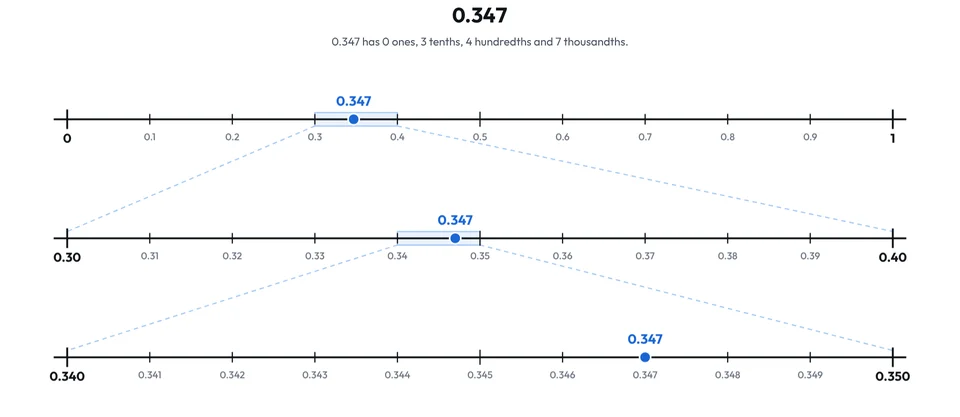
- Type a number, e.g. 0.347: each line zooms in ten times on part of the line above, from tenths to thousandths, and the app shows how many ones, tenths, hundredths and thousandths it has.
- Compare two numbers: the lines zoom in until the numbers separate, showing why 0.25 < 0.7 and 0.4 < 0.45, and 0.3 = 0.30.
- Round a number to a whole number, tenths or hundredths: the halfway point is marked and an arrow shows the nearer number.
- Click a line or move the point with the arrow keys; “New task” gives numbers, including pairs that students often get wrong.
- Hide the tick labels or the value of the point for a task, and download the picture as a PNG.
More apps: Numbers
Number LineFractions, decimals, negative numbers, intervals and inequalities on a number line.
Decimal GridDecimals on a hundred grid: fractions, percentages, comparing and calculating.
Hundred ChartMultiples, primes and the sieve of Eratosthenes on a chart of numbers to 100.
Factors and Prime FactorsFactor pairs from rectangles, factor trees and prime factorisation.
Place Value BlocksBase ten blocks for place value, regrouping, decimals and comparing numbers.
RodsColoured rods for numbers, measuring and fractions.